
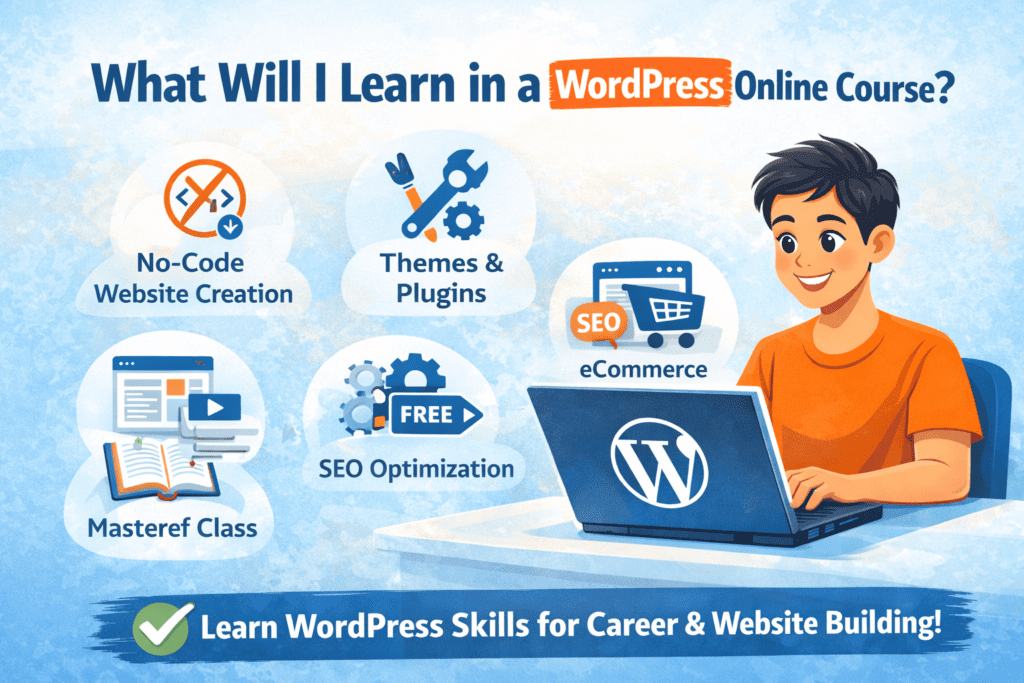
If you’re thinkin about taking a WordPress course but What will I learn in a WordPress course ? Here’s what you need to know about Learn WordPress Online 2026. There are several who want to get started making websites including learners, freelancers, and business owners who were simply baffled by “Where do I begin?” A quality WordPress course should take you from beginning to having a complete website without writing a single line of code. Let us see what are all things you will learn step wise.
1️⃣ Introduction to WordPress (Basics Made Simple)
Your journey starts with understanding what WordPress actually is.
You will learn:
- What is WordPress and how it works
- Difference between WordPress.com and WordPress.org
- Why WordPress powers more than 40% of websites worldwide
- Types of websites you can create using WordPress
This foundation helps you understand the platform before building anything.
2️⃣ Domain Name and Hosting Setup
Before creating a website, you need a domain name (your website address) and hosting (where your website lives online).
In the course, you’ll learn:
- How to choose the right domain name
- How to buy hosting
- How to connect domain and hosting
- How to install WordPress in just a few clicks
This step makes you independent. you won’t have to depend on a developer just to start a website.
3️⃣ WordPress Dashboard and Settings
Once WordPress is installed, you’ll explore the WordPress dashboard — the control panel of your website.
You’ll learn:
- Posts vs Pages difference
- Categories and tags
- Basic website settings
- Permalinks, time zone, and general settings
This helps you manage your website smoothly.
4️⃣ Themes and Website Design
Design is what makes your website look professional.
You will learn:
- What are WordPress themes
- How to install free and premium themes
- How to customize layout, colors, fonts, and header
- How to create a professional homepage
By the end of this module, your website will start looking like a real business website.
5️⃣ Using Page Builders (No Coding Design)
Most modern WordPress courses teach page builders like Elementor.
You’ll learn:
- Drag-and-drop website design
- How to create sections, columns, and layouts
- Adding images, buttons, text, videos, and forms
- Designing service pages, about pages, and contact pages
This is where students realize — “Website banana itna easy hai!”
6️⃣ Important Plugins You Must Know
Plugins add extra features to your website.
You’ll learn how to install and use plugins for:
- Contact forms
- SEO (Search Engine Optimization)
- Website speed
- Security
- Backups
Understanding plugins is key to building powerful websites.
7️⃣ Creating Different Types of Websites
A practical WordPress course doesn’t just teach theory, it teaches real website creation.
You’ll learn how to build:
- Business websites
- Portfolio websites
- Blog websites
- Landing pages
- eCommerce websites using WooCommerce
This gives you the confidence to work for real clients.
8️⃣ eCommerce Website Creation (Online Store)
One of the most valuable skills you’ll learn is creating an online store.
You’ll learn:
- Installing WooCommerce
- Adding products and prices
- Setting up payment gateways
- Managing orders
- Creating a shopping cart and checkout page
This skill is in high demand among shop owners and startups.
9️⃣ SEO Basics (Rank Your Website on Google)
A website is useless if no one finds it.
So you’ll learn:
- What is SEO
- How to write SEO-friendly titles and descriptions
- How to use SEO plugins
- Image optimization
- Basic speed optimization
These skills help websites rank better on Google.
🔟 Website Security and Backup
You will also learn how to protect your website.
This includes:
- Security plugins
- Preventing hacking
- Taking website backups
- Restoring your website if something goes wrong
This makes you a responsible website creator.
1️⃣1️⃣ How to Earn Money After Learning WordPress
Most students join a WordPress course not just to learn but to earn.
You’ll get guidance on:
- Freelancing opportunities
- How to find clients
- How much to charge per website
- Creating websites for local businesses
- Starting your own web design service
Many learners start earning ₹5,000 to ₹25,000 per website after gaining confidence.
Taking a WordPress Online Course in Ghaziabad isn’t only about creating websites. It’s gaining a top digital skill that you can use to freelance, start a business, or advance your career. Domain configuration, design, plugins, SEO and even eCommerce. You learn all from step to step in a practical way.
If you want a skill that is easy to learn, creative, and makes money, WordPress is today’s one of the best picks.
✅ FAQ Section (For “People Also Ask” Ranking)
Add this section at the bottom of your blog:
❓ Is WordPress easy to learn for beginners?
Yes, WordPress is beginner-friendly and does not require coding knowledge. With proper guidance and practice, anyone can learn to build professional websites using WordPress.
❓ How long does it take to learn WordPress?
You can learn the basics of WordPress in a few weeks. With regular practice, most learners become confident in building full websites within 1–2 months.
❓ Do I need coding skills to join a WordPress course?
No, coding is not required. Modern WordPress courses teach drag-and-drop tools like Elementor that allow you to design websites without programming.
❓ Can I earn money after learning WordPress?
Yes, many people earn through freelancing, creating business websites, managing blogs, and building eCommerce stores. Beginners often start earning ₹5,000–₹25,000 per website.
❓ What types of websites can I build after learning WordPress?
You can create business websites, blogs, portfolios, online stores, landing pages, and service-based websites using WordPress.